
Automated Lead Follow-Up for Home Service Companies
September 17, 2026
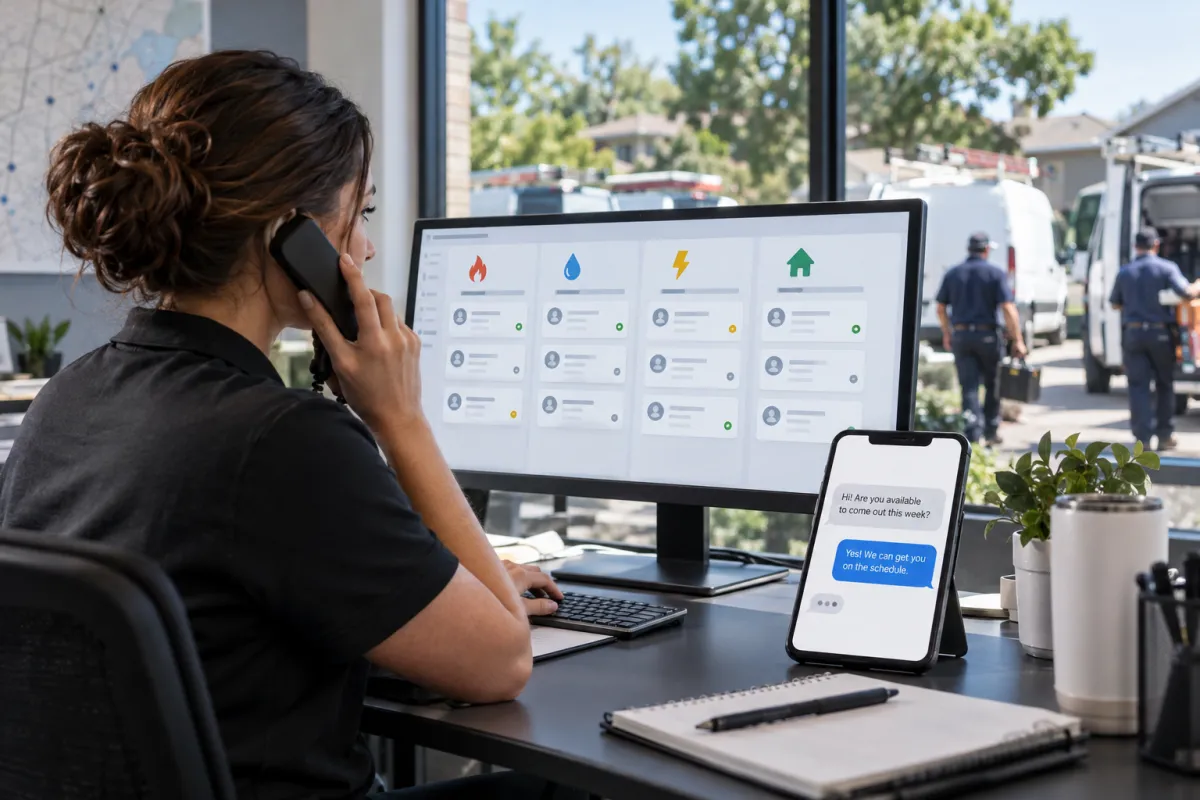
A homeowner requests an estimate, calls after hours, or submits a form while your technicians are busy. If the response comes hours later—or not at all—the job may go to the first contractor who follows up clearly and professionally.
Lead follow up automation for home services helps HVAC companies, plumbers, electricians, roofers, and other contractors respond quickly without requiring office staff to monitor every channel. The right system can acknowledge inquiries, collect job details, create follow-up tasks, nurture undecided prospects, and help customers book the next step.
What Is Lead Follow Up Automation for Home Services?
Lead follow-up automation connects the channels where inquiries arrive with a CRM and a defined communication workflow. When a lead calls, completes a website form, responds to an ad, or sends a message, the system records the inquiry and starts the appropriate response sequence.
This is more than sending one automatic text. A complete workflow can:
- Capture the lead’s name, contact information, requested service, and source
- Send an immediate acknowledgment by text or email
- Notify the correct dispatcher, salesperson, or office employee
- Ask qualifying questions about urgency, location, property type, or project scope
- Provide a scheduling option when appropriate
- Continue following up until the prospect replies, books, or opts out
- Move each opportunity into the correct CRM pipeline stage
Home service businesses can build these pieces separately, but disconnected tools often create duplicate contacts and inconsistent messages. A done-for-you growth and automation system brings lead capture, CRM workflows, scheduling, and ongoing nurturing into one coordinated process.
Why Fast, Consistent Contractor Lead Follow Up Matters
Many home service inquiries are time-sensitive. A homeowner with a leaking pipe, failed air conditioner, electrical problem, or damaged roof is unlikely to wait patiently for several businesses to call back. Even non-emergency projects lose momentum when the prospect receives no confirmation after requesting an estimate.
Speed is only part of the issue. A fast initial text will not help if nobody handles the reply or follows up after an unanswered estimate. Effective contractor lead follow up must combine rapid acknowledgment with clear ownership and persistent, appropriate communication.
Automation supports the process by handling repeatable actions. Your staff can then focus on conversations that require judgment, such as diagnosing the request, discussing project options, confirming service-area eligibility, or addressing an estimate question. It should make the team more responsive—not remove people from situations where human expertise matters.
Practical Automated Contractor Follow-Up Workflows
1. New Website Estimate Request
Suppose a homeowner submits a form requesting a roof inspection. The system can immediately confirm receipt, ask whether the issue involves active leaking or storm damage, and notify the roofing coordinator. The opportunity enters a new-lead stage, and a task is created if no appointment is booked.
If the prospect does not reply, the workflow can send a short reminder later and a final check-in on another day. Once the person books or responds, the generic sequence should stop so the team does not send irrelevant messages.
2. Missed Call Recovery
Calls are often missed while crews are driving, working in mechanical rooms, or meeting customers. A missed-call workflow can send a prompt text explaining that the business received the call and asking what service is needed. This gives the caller an immediate path forward while alerting the office.
Companies with heavy call volume or frequent after-hours inquiries may also use an AI voice agent for call handling and booking. It can answer common questions, collect lead details, route urgent situations, and request appointments according to the company’s rules. Escalation paths should remain available for emergencies, complex jobs, complaints, and callers who want a person.
3. Unbooked Lead Nurture
Not every homeowner is ready to schedule during the first conversation. Someone comparing HVAC replacement options or planning a panel upgrade may need more time. Home service lead nurturing can deliver useful, job-specific follow-up instead of repetitive sales messages.
For example, an HVAC sequence might explain what information is needed for an in-home estimate, remind the prospect about financing availability without making approval promises, and offer another scheduling link. The CRM should pause automation when the lead replies or a staff member advances the opportunity.
4. Estimate Follow-Up
After an estimate is delivered, automation can remind the assigned employee to follow up and send the customer a polite message asking whether questions remain. Higher-value roofing, remodeling, electrical, and HVAC projects may require several personal contacts, so the workflow should support the salesperson rather than rely entirely on canned messages.
5. Old Lead Reactivation
Past inquiries that never booked can be segmented by service, location, and age. A seasonal campaign might reconnect with homeowners who previously asked about air-conditioning replacement, generator installation, or roof inspections. Reactivation should only target contacts with an appropriate communication basis, include opt-out handling, and avoid treating every old record as a brand-new emergency lead.
What a Reliable Service Business Lead Response System Needs
A dependable system begins with one central contact record. Form submissions, calls, texts, emails, appointments, notes, and pipeline activity should be visible to the people responsible for the lead.
It also needs practical operating rules:
- Source tracking: Record whether the inquiry came from paid search, social advertising, organic search, a referral, or another campaign.
- Lead routing: Assign inquiries by service type, territory, availability, or branch.
- Pipeline stages: Use stages such as new inquiry, contacted, appointment booked, estimate sent, won, lost, and long-term nurture.
- Stop conditions: End or pause sequences when a lead replies, schedules, declines, or opts out.
- Human alerts: Escalate urgent requests, negative responses, and high-value opportunities.
- Reporting: Monitor response times, contact rates, booking rates, pipeline movement, and lead-source quality.
The messages should also sound like the company. A plumbing business handling emergency calls needs a different tone and workflow from a roofing contractor nurturing planned replacement projects.
How to Implement Home Service Lead Nurturing
- Map every entry point. List website forms, landing pages, phone numbers, ad platforms, chat tools, social messages, and third-party lead sources. Identify where information is currently delayed or lost.
- Define lead categories. Separate emergency service, routine repair, maintenance, replacement, and estimate requests. Include service-area and job-type qualifications that affect routing.
- Design the pipeline. Give every stage a clear meaning, owner, and next action. Avoid creating so many stages that employees stop updating them.
- Write short, useful messages. Confirm the request, identify the company, explain the next step, and make replying easy. Do not overload an urgent-service lead with promotional content.
- Build channel-specific workflows. A missed call, Facebook lead form, and unsold estimate should not trigger the same sequence. Match timing and content to the customer’s context.
- Add safeguards. Configure business hours, opt-out processing, duplicate detection, reply-based stopping, employee notifications, and escalation rules.
- Test realistic scenarios. Submit test forms, miss a call, reply to texts, book an appointment, cancel, and opt out. Confirm that the CRM updates correctly at every step.
- Review performance regularly. Look for unanswered replies, leads stuck in stages, messages that generate confusion, and sources producing poor-fit requests.
Before launching text or call automation, review the Federal Communications Commission’s telemarketing and robocall guidance and obtain legal advice appropriate to your campaigns. Consent, identification, calling practices, recordkeeping, and opt-out requirements should be built into the workflow rather than added later.
Common Automation Mistakes to Avoid
The most common mistake is automating a broken process. If nobody owns incoming leads, adding more messages will not solve the underlying accountability problem. Assign responsibility before building sequences.
Other problems include sending the same follow-up to every service category, continuing after a customer has replied, using an overly casual tone during urgent situations, and failing to synchronize appointments with the CRM. Businesses should also avoid disguising automation as a personal conversation when the message is clearly system-generated.
Finally, do not measure success only by the number of texts or emails sent. Useful indicators include how quickly new inquiries receive a response, how many leads become real conversations, how many qualified prospects book, and where opportunities stall.
Is Done-for-You Lead Automation Right for Your Company?
A do-it-yourself setup may work for a small operation with one lead source and a simple scheduling process. It becomes harder when a company has multiple technicians, service categories, territories, advertising channels, phone numbers, or office employees.
Done-for-you implementation is most valuable when you need the CRM structure, integrations, messaging, routing logic, and reporting designed as one operating system. The Digital Success can connect contractor follow-up with a broader done-for-you AI marketing automation strategy, helping reduce gaps between lead generation and the staff responsible for booking and closing work.
The goal is not to automate every customer interaction. It is to make sure qualified homeowners receive a timely next step while your team maintains control of important conversations.
Frequently Asked Questions
How quickly should a home service company respond to a new lead?
Respond as soon as operationally possible, especially for urgent repair requests. An automated acknowledgment can be immediate, but it should set accurate expectations about when a person will respond.
Can automation follow up by both text and email?
Yes. Many workflows use text for quick responses and email for detailed information. Channel selection, consent, message frequency, and opt-out handling should be configured carefully.
Will automated follow-up replace dispatchers or office staff?
It is better used to support them. Automation can capture details, send confirmations, create tasks, and flag opportunities, while employees handle diagnosis, exceptions, customer concerns, and sales conversations.
What happens when a lead replies?
The workflow should stop or pause generic follow-up, notify the assigned employee, and preserve the conversation in the CRM. Reply handling is one of the most important parts of a reliable system.
Which home service businesses can use lead follow-up automation?
It can support HVAC, plumbing, electrical, roofing, landscaping, remodeling, cleaning, pest control, garage door, and other appointment- or estimate-driven companies. The workflow should be customized to the service model rather than copied unchanged across industries.
Put the ideas to work.
We can map the right system for your business.